HP Laptop Charger Guide: How to Pick the Right One and Avoid Fakes
Quick Answer
The right HP laptop charger is the one that matches your laptop’s wattage, connector type, and model series. Check the sticker on your original adapter for the voltage and amperage, then buy the same wattage or an HP-branded adapter with equal or higher wattage.
If your HP laptop charger stopped working, went missing, or just feels unreliable, replacing it is easier than most people think. The hard part is choosing the correct one. HP sells laptops with several different connector types and power ratings, and grabbing the wrong adapter can mean slow charging, a battery that drains while plugged in, or in the worst case, damage to the machine.
This guide walks you through everything: identifying the exact adapter your model needs, USB-C versus barrel connectors, what wattage ratings mean, how to spot a fake, whether third-party adapters are safe, and how to fix the most common charging problems.
How to Find Your Exact HP Charger Specs
The fastest way to identify the correct replacement is to read the label on your current power adapter. It lists the model number, output voltage (usually 19V), and amperage. Multiply voltage by amperage to get the wattage: 19V at 3.42A equals about 65W.
No adapter handy? Flip your laptop over and check the bottom panel for the model number, then enter it on HP’s support site. The product page lists the recommended power adapter, including its part number and wattage.
Three details matter most: the wattage (45W, 65W, 90W, or 120W), the connector shape (barrel or USB-C), and for barrel connectors, the plug size and pin type. Matching all three guarantees a proper fit and full charging speed.
USB-C vs Barrel Connectors on HP Laptops
Newer HP laptops, especially Spectre, EliteBook, and recent Pavilion models, charge through USB-C ports. Older models use the classic round barrel connector. If your laptop has a small oval USB-C charging port, you need a USB-C power adapter, typically 65W for ultrabooks and up to 100W or more for workstations.
USB-C charging follows the USB Power Delivery standard, so a quality USB-C adapter from another reputable brand will usually work fine. Barrel connectors are more proprietary, which makes matching the tip size critical. Never force a connector that does not slide in smoothly.
Some HP laptops support both: a barrel port for the bundled adapter and USB-C charging as a backup. When a laptop accepts both, the barrel adapter typically charges faster at full wattage, while USB-C is more convenient for travel.
HP Laptop Charger Wattage: 45W, 65W, 90W, and 120W Explained
Wattage tells you how much power the adapter can deliver. Most HP ultrabooks and Chromebooks ship with 45W adapters. Mainstream Pavilion and Envy laptops usually come with 65W. Performance laptops and mobile workstations need 90W or 120W to feed hungrier processors and dedicated graphics cards.
You can safely use a higher-wattage adapter than your laptop requires, because the laptop draws only what it needs. The reverse is risky: a 45W adapter on a laptop that expects 90W may charge very slowly or cause the battery to drain during heavy use. When in doubt, match or exceed the original wattage, never go below it.
| HP Laptop Family | Typical Wattage | Connector Type |
| Spectre / EliteBook ultrabooks | 45W to 65W | USB-C |
| Pavilion / Envy (mainstream) | 65W | Barrel or USB-C |
| HP 15 / budget series | 45W to 65W | Barrel |
| Omen / Victus gaming | 120W to 230W | Barrel |
| ZBook mobile workstations | 90W to 150W | Barrel or USB-C |
Gaming laptops deserve a special note. Omen and Victus machines can demand 200W or more under load, and an underpowered adapter leads to throttling, where the laptop slows itself down to stay within the available power. Always match the original wattage on gaming machines.
How to Spot a Fake Charger
Counterfeit adapters are common on marketplaces, and they can be dangerous. Watch for these warning signs before you plug one in.
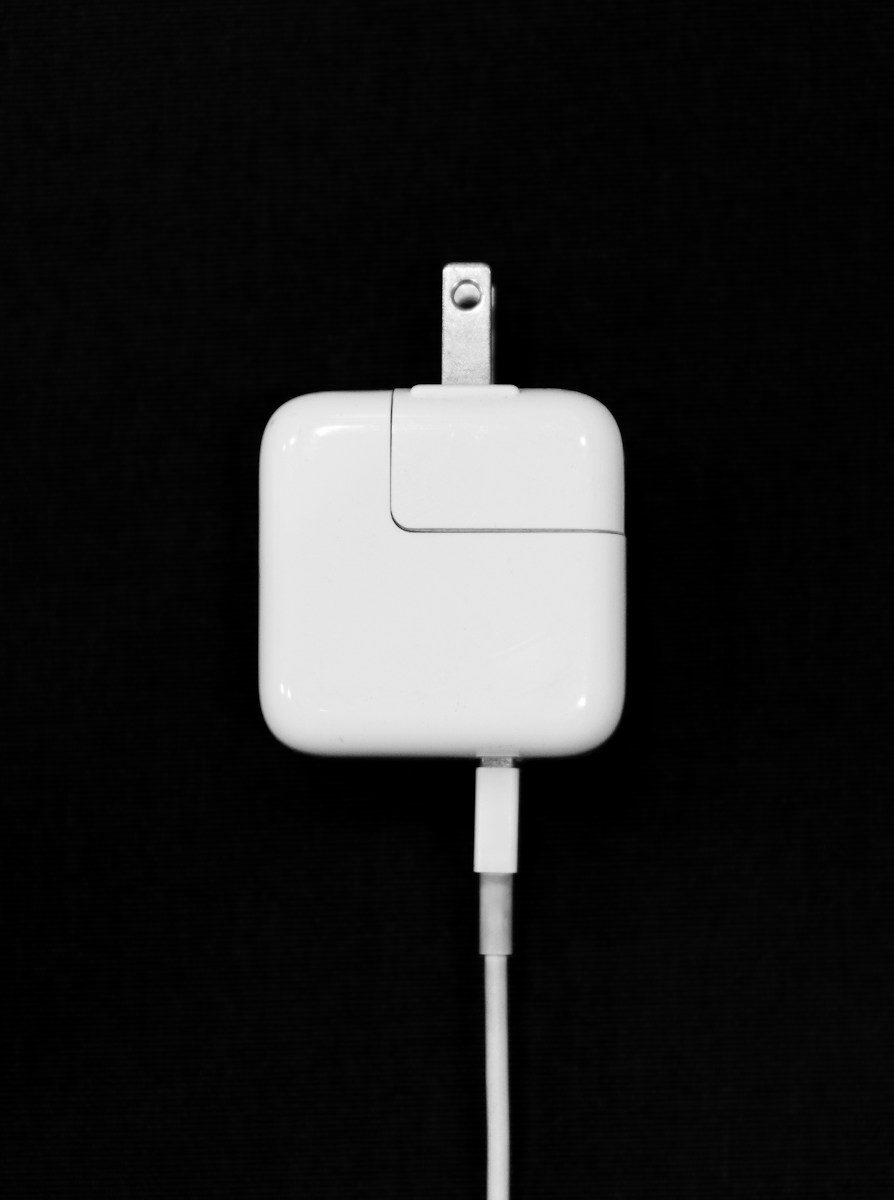
Weight is the first giveaway. Genuine adapters feel dense and solid, while fakes often feel suspiciously light. Next, inspect the label. Real HP adapters have crisp, perfectly aligned printing with a clear part number and regulatory marks. Blurry text, misspellings, or stickers that peel easily point to a counterfeit.
Check the connector fit. An authentic barrel plug slides in snugly with no wobble. Finally, watch how it behaves. If a new adapter runs hot, buzzes, smells of plastic, or charges intermittently, unplug it immediately and return it.
Genuine vs Third-Party Chargers: Which Should You Buy?
An original HP adapter is always the safest choice. It matches your laptop’s exact specs, carries full safety certifications, and keeps your warranty intact.
That said, reputable third-party brands make good adapters for out-of-warranty laptops. Look for UL or ETL certification marks, clear wattage and voltage ratings, and a solid return policy. Avoid no-name adapters priced far below the market average. For more tips on keeping your machine healthy, see our guide on how to fix a slow laptop, which covers power-related slowdowns too.
Common Charging Problems and How to Fix Them
Before buying a replacement, confirm the adapter is actually the problem.
Plugged in, not charging. This classic Windows message often comes from a failing adapter, but it can also be software. Shut down the laptop, unplug everything, remove the battery if it is removable, hold the power button for 15 seconds, then reconnect and boot. If the message persists, test with a known-good adapter.
Battery drains while plugged in. This usually means the adapter cannot supply enough wattage. It happens when someone uses a 45W adapter on a 65W laptop, or when a heavy workload outpaces a borderline adapter. Switch to the correct wattage and the drain should stop. Dust-clogged cooling fans force the processor to work harder and draw more power, so cleaning your laptop fan can reduce the load on the adapter as well.
Loose or intermittent connection. If charging cuts in and out when you wiggle the connector, the barrel tip may be worn or the laptop’s charging port may be damaged. Try a different adapter first. If the problem follows the port, the DC jack likely needs professional repair.
Adapter gets very hot. Adapters get warm during normal use, but they should never be too hot to touch. Overheating can signal an internal fault or an adapter straining to meet demand. Unplug it, let it cool, and make sure it sits on a hard surface with airflow around it.
How Long Do HP Laptop Batteries and Chargers Last?
A quality power adapter typically lasts 3 to 5 years with daily use. The cable near the connector is the usual failure point, since repeated bending weakens the internal wires. Wrap cables loosely and never yank the plug out by the cord.
Most HP batteries hold a useful charge for 2 to 4 years or about 500 full charge cycles. If your battery dies in under an hour but the adapter is fine, the battery itself is the culprit. HP’s built-in battery health check can confirm this.
One habit that extends both: avoid leaving the laptop plugged in at 100 percent for weeks on end in a hot room. Heat is the enemy of lithium batteries and adapter electronics alike.
Buying Tips: Getting the Right Adapter the First Time
Start with your laptop’s model number and the original adapter’s part number. HP part numbers look like “L42206-001”, and matching the part number removes all guesswork about connector size.
Buy from reputable sellers. HP’s own store, authorized retailers, and well-reviewed marketplace sellers with high ratings are the safest bets. Be wary of listings that show a genuine HP photo but ship a generic adapter. For official specs and part numbers, HP’s support site is the authoritative source.
Keep your receipt and test the adapter immediately. Plug it in, confirm the laptop recognizes it, check that it charges at full speed, and feel for excess heat during the first hour.
Key Takeaways
- Match your laptop’s wattage, connector type, and model series; the rating label on your original adapter has all three.
- You can use a higher-wattage adapter safely, but never a lower-wattage one.
- USB-C adapters follow an open standard, while barrel connectors must match tip size exactly.
- Spot fakes by weight, label quality, connector fit, and heat during use.
- Test “plugged in, not charging” issues with a hard reset and a known-good adapter before buying a replacement.
Frequently Asked Questions
Yes. The laptop only draws the power it needs, so a higher-wattage adapter works safely. A lower-wattage adapter can cause slow charging or battery drain during heavy use.
Reputable third-party adapters with UL or ETL certification are generally safe for out-of-warranty laptops. Avoid cheap no-name units, and stick with genuine HP adapters while your laptop is under warranty to avoid coverage issues.
The adapter may be failing, the wattage may be too low, or the battery driver may need a reset. Try a hard reset first, then test with a different adapter to isolate the cause.
Only if your laptop supports USB-C charging and the adapter delivers enough wattage. Most phone chargers are 18W to 25W, far below what a laptop needs.
Check the sticker on the bottom panel of the laptop or press Fn plus Esc to open HP’s System Information window. You can also find it in the BIOS or the HP Support Assistant app.
Some warmth is normal, but a charger too hot to touch signals a problem. Unplug it, let it cool, give it airflow, and replace it if the overheating continues.
Conclusion
Choosing the correct power adapter comes down to three things: wattage, voltage, and connector size. Get those right and buy from a trustworthy seller. Keep an eye out for counterfeits, treat the cable gently, and troubleshoot charging errors with a hard reset before spending money on a replacement.