Best Docking Station for Laptop: 9 Top Picks for 2026
A modern laptop gives you power and portability, but one cable rarely covers a full desk setup. Shopping for a docking station for laptop use is one of the smartest upgrades you can make: a single connection can drive two monitors, charge your machine, and hook up your keyboard, mouse, Ethernet, and external drives all at once. If your current machine came from our list of the best laptops for students, a compact USB-C dock is usually plenty, while creators and office pros will want Thunderbolt 4.
This guide compares 9 of the best docking stations for 2026, from budget USB-C options under $150 to premium Thunderbolt 4 flagships, with street pricing and the use case each one fits best.
Quick Answer
The right docking station for laptop setups depends on your ports and your budget. The CalDigit TS4 is the best overall Thunderbolt 4 dock with 18 ports and 98W charging at around $400. On a budget, the UGREEN Revodok Pro 209 delivers dual 4K at 60Hz for about $130. Match the dock to your laptop: Thunderbolt owners should buy Thunderbolt 4, while USB-C owners get full value from cheaper USB-C docks.
1. CalDigit TS4: Best Overall
The CalDigit TS4 remains the gold standard of desktop docks. Its 18 ports include three Thunderbolt 4 ports, eight USB ports, a native DisplayPort 1.4 output, 2.5Gb Ethernet, and UHS-II SD and microSD card readers. It pushes 98W of power to the host laptop, enough for all but the hungriest 16-inch machines. Price: around $400. Best for: power users who want one dock to rule every peripheral.
2. Plugable TBT4-UDZ: Best Value Thunderbolt 4 Dock
The Plugable TBT4-UDZ gives you 16 ports for roughly $270, undercutting most premium Thunderbolt 4 docks by a wide margin. It drives up to four 4K monitors at 60Hz on Windows (two on supported Macs), offers 100W host charging, 2.5Gb Ethernet, and dual UHS-II card readers. It ships with a 1-meter Thunderbolt 4 cable and a 2-year warranty. Price: about $270. Best for: anyone who wants near-flagship specs without the flagship price.
3. Dell WD22TB4: Best for Dell Laptops
The Dell WD22TB4 is the safest choice if you run a Dell XPS or Latitude. It pairs two Thunderbolt 4 ports with dual DisplayPort 1.4, HDMI 2.0, Gigabit Ethernet, and a 180W adapter that delivers 130W to Dell systems (90W to non-Dell laptops). It supports up to four 4K displays at 60Hz. It also works with non-Dell Thunderbolt laptops at reduced charging wattage. Price: often under $200 at US retailers. Best for: Dell owners who want guaranteed compatibility.
4. Lenovo ThinkPad Universal Thunderbolt 4 Dock: Best for ThinkPads
The ThinkPad Universal Thunderbolt 4 Dock is Lenovo’s answer to mixed-device offices. It supports up to four 4K displays at 60Hz through two DisplayPort 1.4 ports, HDMI 2.1, and a downstream Thunderbolt 4 port, with 100W host charging from the included 135W adapter. It works with non-Lenovo Thunderbolt and USB-C systems too. Price: around $300. Best for: ThinkPad users and IT-managed fleets.
5. HP Thunderbolt Dock 120W G4: Best for Security-Minded Buyers
The HP Thunderbolt Dock 120W G4 stands out with HP Sure Start, which validates the dock’s firmware at boot to block hardware-level attacks, meeting NIST 800-193 standards. Beyond security, it is a strong dock on its own: Thunderbolt 4, support for up to four 4K displays, 100W laptop charging, dual DisplayPort, HDMI, and 2.5Gb Ethernet. Price: around $350 list, frequently discounted. Best for: hybrid workers and IT departments that care about supply-chain security.
6. Anker 777 Apex: Best Compact Design
The Anker 777 (Apex 12-in-1) packs Thunderbolt 4 into one of the smallest full-featured docks you can buy. Its 12 ports include dual 4K HDMI at 60Hz, a Thunderbolt 4 downstream port with 8K support, 90W host charging, Gigabit Ethernet, an SD card slot, and four USB-A ports. The slim vertical design takes up almost no desk space. Heads-up: it needs a Thunderbolt 4 Windows host or non-M1 Mac, and does not support Linux or Chrome OS. Price: around $350. Best for: minimal desks and travelers who want a full dock in a small package.
7. UGREEN Revodok Pro 209: Best Budget Pick
The UGREEN Revodok Pro 209 is proof that a capable dock does not have to cost $300. This 9-in-1 USB-C dock drives dual 4K monitors at 60Hz through two HDMI 2.0 and two DisplayPort 1.2 ports, delivers 100W power delivery to the laptop, and adds 10Gbps USB-C and USB-A ports plus Gigabit Ethernet. DisplayLink multi-monitor support is a genuine advantage for base-model MacBook Air owners, whose machines cannot drive two external displays natively. Price: about $130. Best for: budget buyers and MacBook Air owners who need two screens.
8. Kensington SD4780P: Best for Older Laptops
The Kensington SD4780P is a hybrid dock that connects over USB-C or plain USB-A, making it the rare modern dock that still works with laptops lacking USB-C video output. DisplayLink technology drives dual 4K monitors at 60Hz, and it includes 100W power delivery (over USB-C), six USB ports, and both HDMI 2.0 and DisplayPort 1.2 outputs so you never need an adapter. You will need to install the DisplayLink driver. Price: around $250. Best for: offices with a mix of old and new laptops.
9. OWC Thunderbolt Pro Dock: Best for Creators
The OWC Thunderbolt Pro Dock targets video editors and photographers who move big files. It pairs Thunderbolt connectivity with 10Gb Ethernet, simultaneous CFexpress and SD card ingestion, and dual 4K monitor support in a fanless aluminum enclosure. If your workflow involves 8K RAW footage or a NAS, the 10GbE alone justifies the premium over mainstream docks. Price: around $330. Best for: creative professionals with heavy media workflows.
Here is the lineup side by side:
| Dock | Connection | Host charging | Max displays | Approx. price |
|---|---|---|---|---|
| CalDigit TS4 | Thunderbolt 4 | 98W | Dual 4K60 (Win) / single 6K (Mac) | ~$400 |
| Plugable TBT4-UDZ | Thunderbolt 4 | 100W | Quad 4K60 (Win) / dual 4K60 (Mac) | ~$270 |
| Dell WD22TB4 | Thunderbolt 4 | 130W (Dell) / 90W | Quad 4K60 | ~$180 street |
| Lenovo ThinkPad Universal TB4 | Thunderbolt 4 | 100W | Quad 4K60 | ~$300 |
| HP Thunderbolt Dock 120W G4 | Thunderbolt 4 | 100W | Quad 4K | ~$350 |
| Anker 777 Apex | Thunderbolt 4 | 90W | Triple (Win) / dual (Mac) | ~$350 |
| UGREEN Revodok Pro 209 | USB-C (DisplayLink) | 100W | Dual 4K60 | ~$130 |
| Kensington SD4780P | USB-C / USB-A (DisplayLink) | 100W | Dual 4K60 | ~$250 |
| OWC Thunderbolt Pro Dock | Thunderbolt | 90W | Dual 4K | ~$330 |
How to Choose the Right Docking Station for Laptop Workflows
Start with your laptop’s port, because it sets a hard ceiling on what any dock can do. A Thunderbolt 4 or USB4 port unlocks the full 40Gbps docks here; a plain USB-C port with DisplayPort Alt Mode works fine with the USB-C docks. Check your spec sheet for the lightning-bolt icon before spending $300 or more.
Next, count the watts. A 13-inch ultrabook is happy with 65 to 90W, but 15 and 16-inch performance laptops need 100W or more to charge under load. Match or exceed your laptop’s original charger wattage.
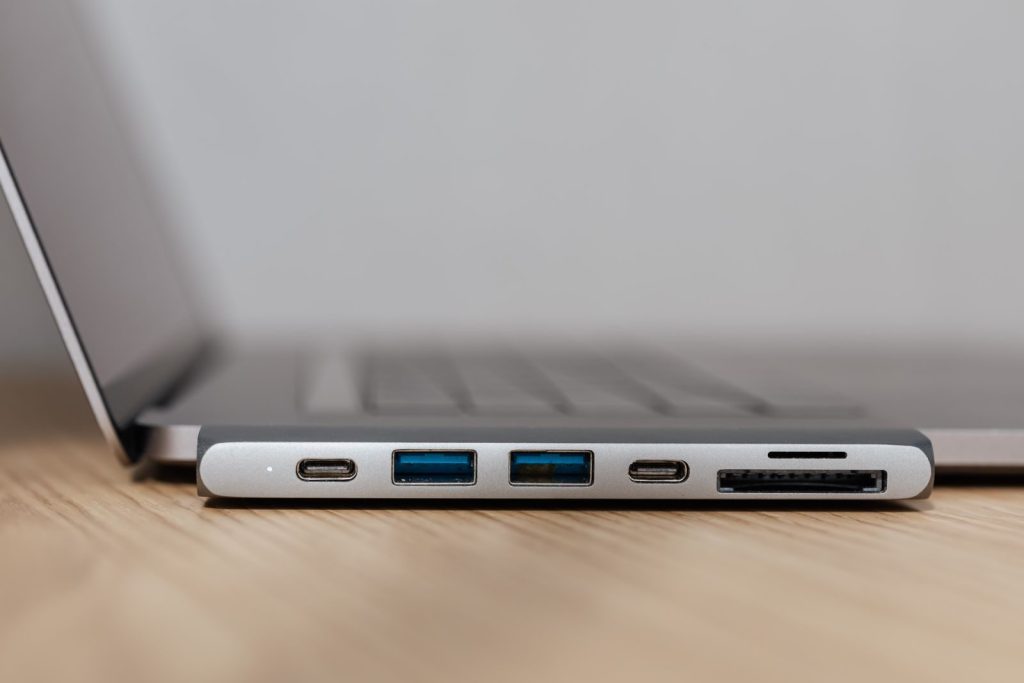
Displays are the third decision. For a single external monitor, a simple USB-C hub saves money. Two 4K monitors at 60Hz is the sweet spot most of these docks target. Mac users take note: base M1, M2, and M3 MacBooks cannot drive two external displays natively, so a DisplayLink dock is the practical workaround.
Finally, think about the desk, not just the specs. Count the USB ports you actually use, decide whether you need an SD reader or 2.5Gb Ethernet, and measure your space: the Anker 777 suits small desks while the TS4 rewards a permanent setup. If your laptop feels sluggish even when docked, the problem may not be the dock, so check our guide on how to fix a slow laptop first.
Frequently Asked Questions
Is a docking station for laptop use worth it in 2026?
Yes, if you work at a desk regularly. One cable replaces a tangle of connections, adds the ports your thin laptop lacks, and charges the machine. If you never sit at a desk, a simple hub is the cheaper answer.
What is the difference between a Thunderbolt dock and a USB-C dock?
A Thunderbolt 4 dock uses a 40Gbps connection for more and higher-resolution displays plus faster transfers. A USB-C dock uses 10Gbps, costs less, but cannot match Thunderbolt’s display count or bandwidth. Only buy Thunderbolt if your laptop has a Thunderbolt or USB4 port.
Can I use any docking station with a MacBook?
Mostly yes, but display support varies. Intel Macs and M1 Pro, Max, and Ultra models drive multiple displays through Thunderbolt docks. Base M1, M2, and M3 MacBooks get one external display natively, so you need a DisplayLink dock for two screens.
How much power delivery do I need from a dock?
Match your laptop’s original charger. Ultrabooks do fine with 65 to 90W; 15 and 16-inch performance machines need 100W or more to charge under load. All the premium docks above deliver at least 90W.
Do docking stations work with Chromebooks?
Usually, with caveats. USB-C docks like the Kensington SD4780P explicitly support Chrome OS, while some Thunderbolt docks (the Anker 777, for example) do not. Check the compatibility list for your Chromebook before buying.
Key Takeaways
- Thunderbolt 4 docks deliver 40Gbps bandwidth for multi-monitor setups; USB-C docks are cheaper and fine for simpler desks.
- Match the dock’s power delivery to your laptop’s charger wattage so the battery charges under load.
- Base M1, M2, and M3 MacBooks need a DisplayLink dock for two external displays.
- The CalDigit TS4 is the best overall pick; the UGREEN Revodok Pro 209 is the best value under $150.
- Brand-matched docks (Dell, Lenovo, HP) give the smoothest experience for those laptops.
Conclusion
The best dock matches your laptop’s ports, your monitor plans, and your budget, not the longest spec sheet. For most buyers in 2026, the CalDigit TS4 or Plugable TBT4-UDZ covers a Thunderbolt desk for years, while the UGREEN Revodok Pro 209 is the smart buy for two monitors and solid charging at a fraction of the price. Pick your port count, check the wattage, and one cable becomes a complete workstation.